It’s no secret that when you visit Disney World, you’re going to be waiting in plenty of lines. All that time spent waiting can really add up. When you’re super hungry, the last thing you want to do is even more waiting. The MyDisneyExperience app actually has a feature that can be quite handy in times like these!
Did you know you can Mobile Order food using the MyDisneyExperience app? Whether you’re grabbing a bite at your resort or in the midst of one of the theme parks, this can be an excellent time-saver! Most restaurants that allow Mobile Ordering are categorized as quick service; however, select table service restaurants also offer “to-go” options through Mobile Ordering as well.
To use this feature, the first step is obviously deciding where you want to eat. If you’re familiar with your current location and already know where you want to eat, simply type in the restaurant name in the search field. Restaurants that allow Mobile Ordering will have this symbol next to them:

After you’ve selected your preferred Mobile Order location, tap the “Order Food” option in the restaurant’s details. From there, it’s a matter of selecting your preferred arrival window and building your order. You can scroll through the menu (conveniently with pictures as well as item descriptions) and add things to your cart. Within an item’s details page, you can also choose your sides and make any applicable customizations.
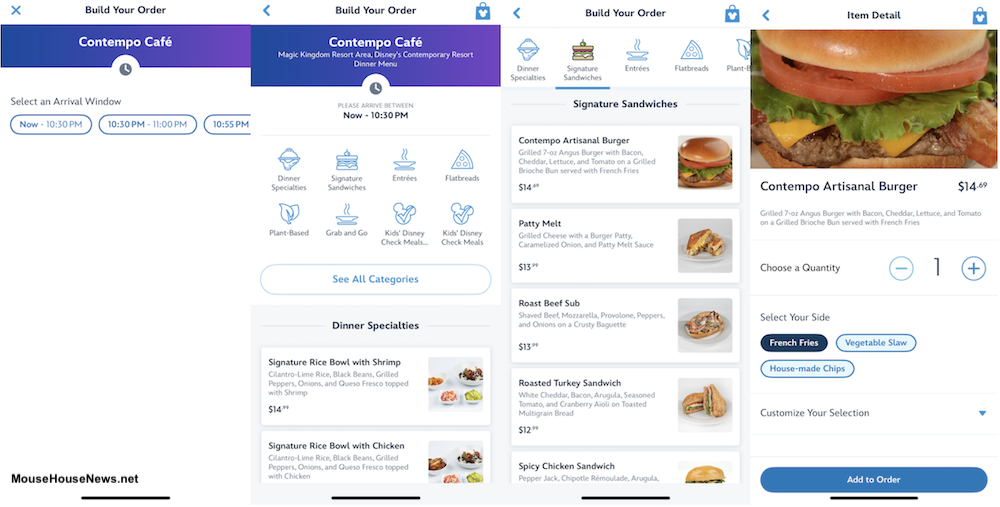
Once you’ve added all of your selections to the cart, you just need to review your order, pay, and hit the submit button. Then, just sit back and relax (or enjoy that next ride) until your arrival window opens. There will be a “I’m here, start my order” button available to tap at the start of your window. Here’s a tip: you can tap the “start my order” button a few minutes before you actually arrive at the location to save additional waiting time once you get there.
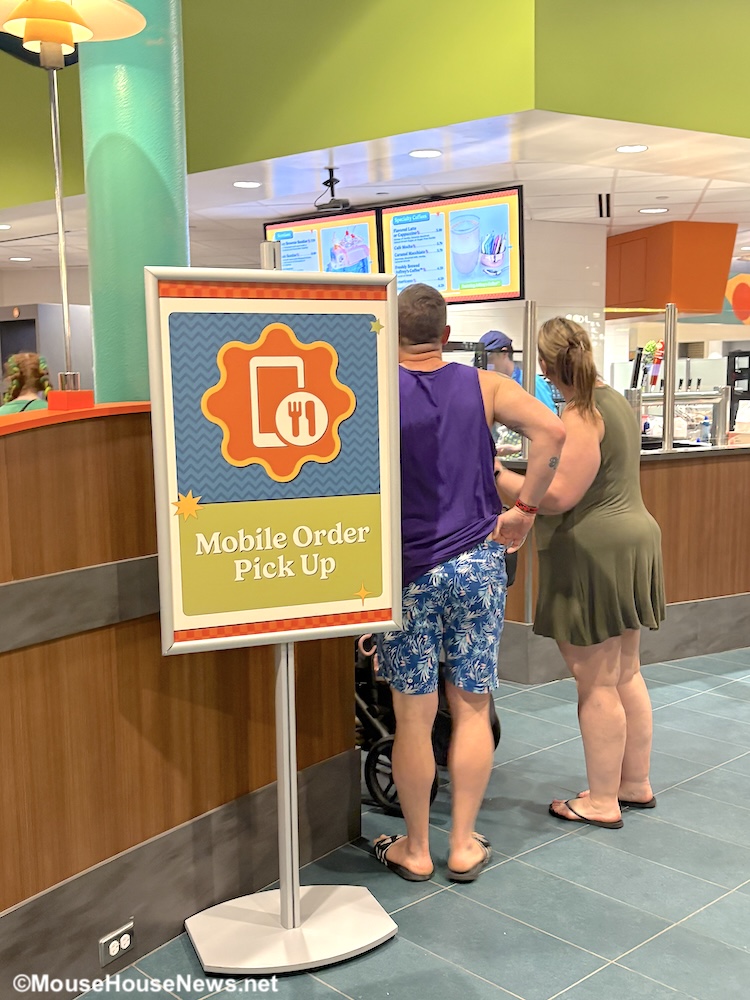
When your order is ready, the app will send a push alert to your device. The alert will tell you where to go to pick up your food. Show the Cast Member your order number, they’ll give you your food, and you’ll be on your way. Super simple!
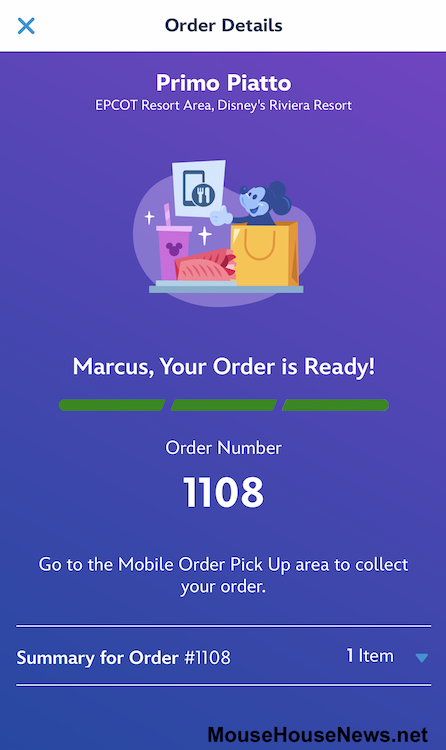
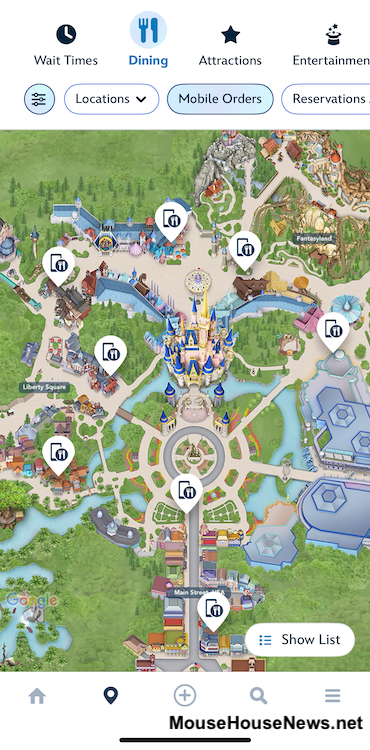
You can also check Mobile Order availability from the map in the MyDisneyExperience app. This is especially convenient if you’re inside one of the theme parks. Tap on the “Dining” section located right next to Wait Times at the top of the map. The map will then populate the restaurants in that park. The Mobile Order symbol will designate the ones that offer Mobile Ordering. Tap on the symbol, and the name of the restaurant will pop up along with a “Begin Order” option. One you hit “Begin Order”, the app takes you to the same screen where you selecting an arrival window. The rest of the process is the same. Easy peasy.
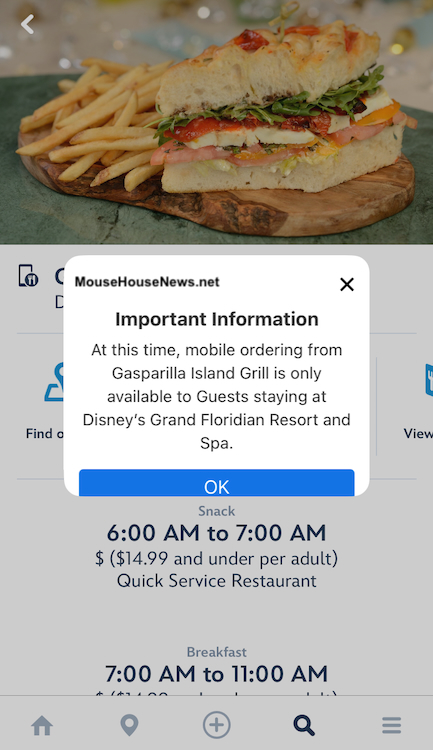
There are a couple of important things worth mentioning about Mobile Ordering, however. First, the arrival windows can fill up quickly, especially at popular locations and during peak meal times. Additionally, resort locations will sometimes offer Mobile Ordering only to guests staying at those resorts. This is especially true of restaurants on the monorail loop. Thankfully, the app will pop up an alert in these situations to make users aware of the limitation.
In summary, if you’re looking for a time-saving option on your next Disney World vacation, Mobile Order is definitely the way to go. It’s a convenient feature that can be used on-the-fly or to plan out a future meal. For more ways in which the MyDisneyExperience app can be used during your next Disney World vacation, stay tuned to MouseHouseNews.net. We’ll see ya real soon!